Screens
Create a PiP from any connected display and keep a second monitor in view on your primary one.
Always-on-top desktop vision
InfinitePIP turns live desktop content into borderless floating windows you can move, zoom, fade, and keep above everything else.
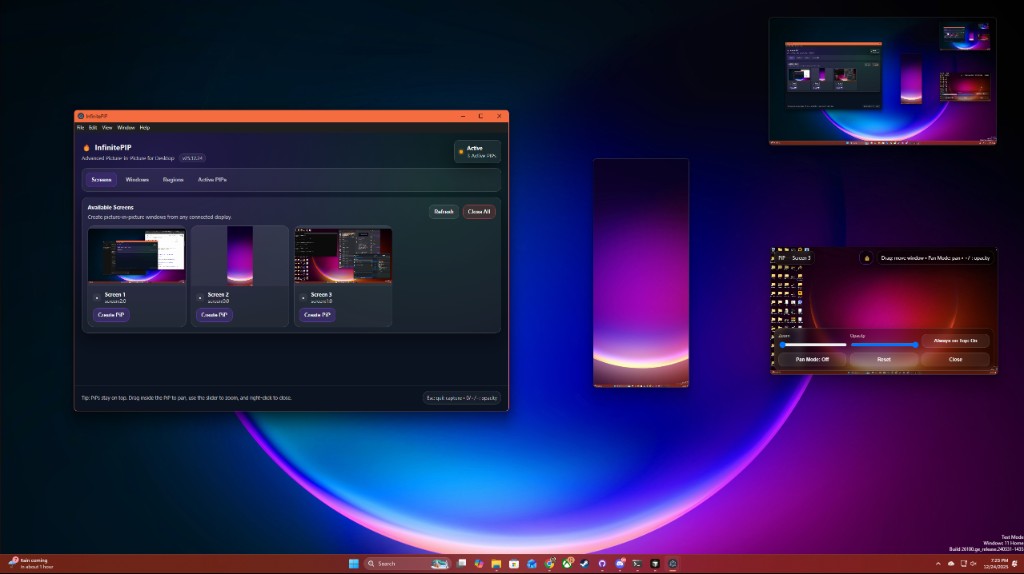
Capture what matters
Pick a display, an application window, or draw a fixed rectangle. InfinitePIP keeps the setup direct so the content you need stays visible without rearranging your whole workspace.
Follow the workflow
Create a PiP from any connected display and keep a second monitor in view on your primary one.
Capture a specific app window when you only need one workspace, player, or reference panel.
Choose exact x, y, width, and height values, then preview the crop before opening it.
Built for interruption-free work
The main window is a source picker and manager. PiP windows stay borderless and focused on the capture itself, with controls that appear when you need them and get out of the way when you do not.
Virtual Display Driver ready
InfinitePIP fully supports virtual displays from the Virtual Display Driver by MikeTheTech, the Windows virtual monitor driver we created. Once the driver creates a virtual monitor, InfinitePIP can treat it like any other screen source and keep it running in an always-on-top PiP.
Get the Virtual Display Driver by MikeTheTechControl without clutter
Drag to pan, zoom the view, change opacity, toggle always-on-top, or right-click to close. The controls are built for quick adjustment while your attention stays on the source.
Electron desktop app
InfinitePIP uses Electron desktop capture APIs to enumerate screens and windows, then renders live sources into independent always-on-top BrowserWindows with zoom, pan, opacity, and aspect-ratio handling.
Ready when your desktop is full
Purchase InfinitePIP and download the portable Windows EXE. No installer flow, no subscription, just launch the app and start creating PiPs.